8/14/12

Dealing with p@$$w0rds

The world of the public company has gone a little nuts over password policies. I am often urged to have complex passwords that are also long. The common mandate is at least one lower case letter, one upper case letter, a number and a special character. Have a minimum length of 8, they tell me. Force users to change passwords every 30 days.

This strikes me like TSA security theater. It sounds good. It looks secure. But it is not and it is a huge burden on people.


There is no such system that a user can't and won't game. You end up with passwords like P@ssword123.

There are three vulnerabilities with respect to passwords:

  1. They can be guessed easily by someone.

  2. They can be observed by shoulder surfing or captured with a key capture device

  3. They can be brute force compromised

Let's look at each one of these:

Passwords Which Can Easily Be Guessed


This is such a non issue. Every system I have ever managed or implemented locks an account on a small number of consecutive incorrect guesses. The common scene in a movie or TV show of someone looking around the target's desk and seeing that they have a boat name "starfish" and this is magically their password is completely implausible.

Passwords Which Can Be Observed


If someone is using a keycatcher on your keyboard connection then they're going to capture your password no matter how complex it is. On the other hand, if you have a "complex" password chances are you won't be able to rapidly touch type it. So ironically, complex passwords are more susceptible to shoulder surfing, as you single finger it.

Passwords Which Can Be Brute Force Decrypted


So this final one is what the "best practice" is trying to get at. If someone can manage to get your password file off of your system (which means you are already pretty well compromised; the real problem is coming from external sites such as Facebook or Sony), then they can apply mass computing power to decrypt the password without having the system lock the account.

Any password can be decrypted this way. Any password. The difference is some can be cracked in a matter of minutes where others would take years.

And the key difference between the easy and the hard-to-crack ones? Length. That's it. You don't need a complex password, you need a long one. It's the exponent that's important. If your password is comprised of only the 26 lower case letters but your password is 15 characters long, you have a very strong password. If you put a penny on one of the squares of a chessboard, then two pennies, then eight, 16, 32, 64... by the time you get to the last square you'll have 2 cents to the 64th power minus a penny. That's vastly more money than exists in the global economy.

The common ways to brute force a password now include the common things people try to use to cope with the onerous requirement. So people substitute an '@' for 'a' a 3 for 'e', zeroes for Os, etc. So P@$$W0rd will be cracked by a simple decrypter running on a laptop in a matter of minutes.

So, some recommendations

Regrettably, there are plenty of sites and systems which limit your password length. So like TSA security, insisting that it is "complex" but limiting the password to between 6 and 10 characters in length actually results in vulnerable passwords like P@$$word.

But for those that allow it, pick a longish phrase and type it as a single string. If you really want, capitalize the first letters.

Common advice is to NOT use pet's names and to NOT use words in the dictionary. But.. I have a dog named Hector. IHaveADogNamedHector violates both of those rules, yet at 20 characters long it is astonishingly strong. And I can touch type it quickly - no shoulder surfing. It may not even stand out on a keylogger. It would take years for current technology to crack this.

And best of all, I can remember it. There is no need to write it down.

Look at Diceware and you come to realize that even using a published list of a few thousand words can result in strong passwords, so long as the words are randomly selected (hence the dice) and there are enough of them.

ThisTableIsBrown. ILikeFridayNightLights. Looking at a travel brochure now, LifetimeLearningFromMichelangelo. All fine passwords, much stronger than an 8 character "complex" one.

Some other advice:

  • If you have to write them down, write them down in some sort of coded format and keep that in your wallet. I have never once lost my wallet. And if I did, I'd have a whole protocol to go through to cancel credit cards, etc. So if my bank password is IHaveADogNamedHector is written down as B:dog, that'll be good enough for me but worthless to others.
  • With all of the crazy requirements for passwords, there is a temptation to use the same master password across multiple systems. Resist that temptation. If your Facebook password gets compromised, you don't want that to also be your online banking password!
  • You can always go with a password manager like Lastpass. For some reason, I just can't get past trust issue with these. I know that RSA (and Sony and Dropbox and Yahoo and many others) was compromised not so long ago, so I'm not sure that my paranoia isn't justified. Still, many people find this to be the ideal. You have a master password - make sure to make that insanely secure (Lastpass will tell you the percentage secure it thinks it is). Then you can have Lastpass generate passwords and store them. When you go to a secure site (say your bank), and assuming you've authenticated to Lastpass, it logs you in automatically.

8/13/12

Be more Horst, less Mikey

I used to work with a fellow named Horst. He was the most positive person I have ever known. No matter what the topic of conversation, he would never have a negative thing to say. Never. If we were ragging on the Yugo (I'll be dating myself with this post, but trust me, the Yugo was a rag-worthy car), Horst would say, "oh, I don't know, the Yugo comes in some nice colors." I swear, if he had been asked to sleep on a bed of nails he would say, "Great! If my back is itchy, I'm all taken care of!"

Me on the other hand? At the very next job, the people that worked for me started calling me "the Mikey of computers." This was in reference to a Life cereal commercial (told you I would be dating myself) where the kids said Life cereal? Give it to Mikey - he doesn't like anything! I had developed the habit and reputation for finding the flaws in things.

Horst, as the name might suggest, was German. Not only that, he came to the U.S. as a 12 year-old, not so very long after the war. So he told me, he developed this positive thinking and attitude so that he could fit in, not be considered too "German."

And hey, a name like Kutzer! So as I age, I tell myself to be more like Horst and less like Mikey. I can't help myself sometimes - I can definitely be a "what's wrong with this picture" kind of thinker. But if I can take a pause, reflect. and find the positive, things will go a little smoother. After all, there's positive in almost anything.

Measure with a microscope, mark with a chalk, cut with an axe

If you ask an accountant how many grains of sand are in this strip of beach, then you would run a reasonable chance that the accountant would jump in, form a team, and start counting grain by grain. They'd have double and triple checkers, and they would have nicely balanced sand debits and sand credits.

Ask an IT person or an engineer and they will take overall measurements of the volume of the beach and then count a few cubic inch samples. You'd want samples from different sections and depths of the beach - densities may very well vary. The engineer would then be done much more quickly, and could spend the rest of the time playing in the sand rather than counting it. But best wear SPF800, because 60 hours a week in the data center has left you pasty white.

Both have made the same fundamental error. They did not ask why? Why do you need this information and to what level of precision? When do you need it? How are you going to use the information? Will you need the same or similar information again?

This sort of scenario plays out over and over in the business world. People don't take the time to get an overall understanding of the problem. They don't ask enough questions. And so they don't realize that at the end of all of your minute analysis, somebody is going to finish that job with a broad stroke of their axe. For example, a whole team of accountants and financial analysts and IT data analysts will get to forecasting next quarter's sales. They'll comb through all of the existing data; they'll count "bottoms up" every customer, potential customer - weighting the likelihood of a sale. They'll match customers to inventory. They will count every grain of sand in the beach.

Then the head of sales will lick his finger and sticks it in the wind. He'll read market reports. Oh, he'll read the grains of sand report, but he will mark it with a chalk.

Then the CEO comes along and with a mighty swing of his axe announces that the head of sales is expected to have a sales increase of 3% this quarter. Make that or the axe may be used more directly.

Since everyone is so busy counting grains of sand, they don't appreciate that it is fruitless and futile. So they do the same thing next quarter. Their whole department's career is built on this false understanding of the problem. They are measuring down to the nanometer with their microscope. They hand this off to the next guy who marks it with a chalk. The chalk mark goes to the final person who eyes it and takes one swing of a broad axe.

How do you stop the insanity? Ask questions. Keep on asking "why", emulating a maddening 4 year old. "Why" is perhaps the most powerful word. Get the microscope technician, chalk artist and axe wielder in the same room and review. So many organizations are stuck with the inertia of "that's the way it's always been done." You may well find that there isn't even a chalk marker or lumberjack. You may find that nobody is even bothering with that quarterly TPS report that takes 10 people 3 weeks of effort to produce. You may find it dangerous

8/11/12

The Progress Principle

Readers of the dojo know that I am trying to:

And so it was with some delight that a twitter post led me to an article which led me to the book The Progress Principle: Using Small Wins to Ignite Joy, Engagement and Creativity at Work. It backs up my feelings with some real-world research.

Some salient quotations:

  • Three types of events - what we call the key three - stand out as particularly potent forces supporting inner work life, in this order: progress in meaningful work; catalysts (events that directly help project work); and nourishers (interpersonal events that uplift the people dong the work).

  • Even seemingly mundane events - such as small wins and minor setbacks - can exert potent influence on inner work life.

  • Although we eschew the vague "bad morale" terminology, our decade-long research on Karpenter and other companies reveals the power of workers' unspoken perceptions, emotions, and motivations, the three components of inner work life. In the short term, bad inner work life compromises individual performance

and most germane to my recent focus:

  • In general, scholars argue, little things really do matter a lot. In Karl Weick's seminal 1981 paper he argued that social problems could be tackled in more innovative ways if they could be approached successfully on a small scale initially. Suggesting that the enormous scale of most social problems causes paralyzing emotionality and overwhelms cognitive resources, he proposed that there are great advantages in the small wins that can be gained from breaking down such problems into manageable pieces.

And that is exactly right. When trying to learn a new piece to play on the guitar, the most successful approach is NOT to start at measure 1 and try to play through the whole thing, fumbling and ingraining mistakes and building up frustrations. Rather, tap the rhythm out away from the guitar. Work on just the right hand fingering. Work just a few key measures (or even a few notes) in difficult passages to get the movement of the hands to be precise, relaxed and efficient. Play slowly enough, when you are playing the piece at all, to not make mistakes. In short, break the problem down into bite sized chunks. When you have a component of the piece under your belt, you build a motivating "inner life" based on these small wins.

I will approach work the same way. "Implement CRM" is more daunting than "learn Bach's Chaconne". So, if the decision is to implement CRM, then how can that be broken down into doable chunks? I found first, get the product (this company had already purchased the license years ago). Then, read through the implementation planning guide; then, setup the servers; setup the database environment; setup the SharePoint environment; install the base product; etc.

In David Allen "Get Things Done" fashion, it's important to focus on "what's the next action?" Doing it this way, the team can have that satisfying feeling that comes from making progress.  If we all ask the right questions and therefore know that we are working on the right problem, then collecting small wins along the way builds a self-reinforcing momentum to success. So sure, cleaning the entire basement may be the end goal. If however, today's goal is to clean up this little corner, then you can end the day with a small victory and  visible progress to the end goal. If you don't break it down, then you will end the day with the demotivating thought "man, this place is a huge mess."

3/16/12

Practice your career like you're practicing guitar

I've been taking guitar lessons for 6 years now. Most of that time has been classical, but recently I have branched out to more jazz, blues, bluegrass and rock. During a recent lesson, I asked about how to transcribe Brandi Carlile's Before It Breaks to a fingerstyle jazz arrangement.


My teacher took a deep breath and said, "you know, when a new classical student comes to me, I see this incredibly long road ahead of them. Right hand technique, learning to read music, rhythm, barre chords, phrasing and on and on. But then we have our first lesson and start the journey. With how you're mixing it up now, I see that same long road ahead for you. Learning to write jazz arrangements, there's a lot to it. But ok, let's start the journey."

I have to say, this "cross training" has reinvigorated my guitar playing. And in a philosophical mood one night, I decided that we should all approach our careers with the same attitude as learning a musical instrument. Start - that's always the most important step! Start small - you don't have any choice, since you don't have any skill or experience. And then stretch yourself incrementally. Don't try for a grade 5 piece when you're at grade 2, but keep on upping the ante to keep you out of your comfort zone. It's the only way to grow.

There are parallels in many other areas. For example, I have been back to weightlifting for the past 6 months. What you have to do with weightlifting (if you want to progress) is start small and exercise to failure. That hurts, so it's easy to avoid and just keep on putzing around with the same weight. But if you work to failure and then add to the weight incrementally, you will make astonishing progress. I started my deadlifts at 135 pounds. Yesterday I did a number of sets at 315. I am confident that I can work my way up to 400. It will please me to be a guitar playing, chess playing, IT nerd who can repeatedly lift up 400 pounds.

But when I interview people who have "10 years of experience doing x," I often discover that they really have the same 2 years of experience 5 times over. They have learned to play guitar at an early intermediate level and decided that that's good enough. They are curling 25 pounds over and over and not caring about progress. They got their Cisco CCNA and can comfortably administer routers and switches on autopilot.

So... no! Stagnating on the plateau is death. Growing is more fun. Being able to play beautiful music is so rewarding. Being strong feels good. Growing in your career is the best of all, because that's where you spend most of your time.

The good news is you can start right now. You already lift 135 pounds. You already play Julia Florida. You already do a good job of SQL database administration. So now look. What's the next step? What, given time and energy, can you accomplish next week that you couldn't accomplish today? There's always something. Right now I've jumped into the world of Microsoft Dynamics CRM. I feel like it's a new guitar piece. I know the notes and the rhythm, I just need to practice away at this new arrangement. I know SQL, SharePoint, Exchange, .net programming. But I don't know Microsoft Dynamics very well. But soon, with diligent practice and careful attention, I'll have that skill added to my repertoire.

1/8/12

Keeping resolutions by monotasking and learning to love the plateau

In thinking about and setting New Year's Resolutions, I am re-reading some old books and reading new ones to help me stay focused. I've also been doing mindfulness meditation at the Insight Meditation Community of Washington as well as taking some yoga classes. There are many common themes.

A yoga teacher recently started class with the comment that we are all so relentlessly multitasking that we are robbing ourselves of a quality life. She said for the next hour, you are only allowed to monotask. You are doing yoga and nothing else. You aren't thinking about anything else but your yoga, your posture, your breathing.

It's informative what is included in a language and what isn't. It speaks to the German culture, for example, that they have a word for "joy in the misery of others" - Schadenfreude. I was just similarly informed when the instant spell checker had no problem with multitasking, but doesn't recognize monotasking as a word!

Mindfulness meditation has the same lesson. As the writer Thich Nhat Hanh says, when you are washing the dishes, just wash the dishes. Pay utmost attention to this mundane task. How does the water feel? How does it sound? What do the dishes look like? It sounds (a) simple and (b) silly, but it is neither. If done mindfully, and in a monotasking nature, even the most mundane activity can be restorative and can be beautiful.

I just finished a book called The Practicing Mind: Bringing Discipline and Focus Into Your Life, by Thomas Sterner. It is quite a short book and makes only a few simple points, but these are full of wisdom. The main point is to enjoy the process for its own sake and not worry about the outcome. The author is a musician and a golfer, among other things, so he draws on these activities. I need to heed this advice in my own guitar playing. It's too easy to fall into the trap of "if I can play Bach's Chaconne, then I'll be happy..." Doing it this way involves constant disappointment and frustration. You are so focused on the goal that you don't enjoy the journey.

To help you stay in the process, in the present moment, Sterner suggest the 4 S's: simplify, small, short and slow. So for example, I am learning a fingerstyle jazz guitar version of Georgia on My Mind. It is hard. My goal had been - play it, and play it well. I need to simplify that goal (it can still be the ultimate goal), so today it was: I need to practice these 4 measures for 30 minutes. I need to practice them slowly and deliberately. I need to DOC it - Do it, Observe it, Correct it. The observation needs to be non-judgmental (which is hard for me, as the dialogue usually goes, "man, I'm never going to get this; that was awful: how could I be so bad?").

My guitar teacher recommends a process called "chunking" - take a small chunk and work on that; then another; then string them together. He's also said that when learning a chunk, play as slowly (don't even worry about rhythm) as you need to so that you never play a wrong note in the sequence.

I can do all of that effectively for 5 minutes, maybe. Then it becomes irresistible to try it at 120% tempo! Or to try the whole piece. But like in meditation, notice what you're doing and bring yourself gently back to what you were doing.

One of my favorite books on this subject is Mastery, by George Leonard. In this Esquire magazine article turned book, Leonard points out that any skill development that follows the "master's path" will be a series of a short burst of rapid improvement followed by probably a little dip and then a long plateau, followed again by the improvement/dip/long plateau cycle. Leonard wisely points out that you have to learn to love the plateau, because you will be spending the bulk of your time here. Each new plateau is higher than where you were before. Each plateau was hard-won.

There aren't any short cuts. It is said (see, for example, Malcolm Gladwell) that it takes 10,000 hours of focused, goal-oriented practice to achieve a level of mastery in anything complex. For a guitarist like me that's an hour of practice every day for 27 years! I can believe it. The cellist I saw today at Strathmore spoke of 6 hours a day since he was seven years old. He held up his hands - his left hand is nearly 2 inches longer than his right, due to stretching so much during his growth years.

But I have time. I've been playing guitar for 6 years now, so only 20 more to go. Or if I can muster the energy for 2 hours a day, then a decade. And more importantly, if I can learn to practice correctly and with the right mindfulness, then I won't even care about that goal of "mastery."  Really, what does that mean anyway? Pablo Casals was practicing the day he died. It's a never-ending thing, and that's good... so long as you enjoy the process and forget about the goal. The "goal" is the future. Get your head out of the future and enjoy what you are doing at this very moment; and this moment; and this...

11/11/11

Peepers

From the moment of my birth, I have always had an uneasy relationship with my eyes. I was born so cross-eyed (a condition known as strabismus) that only the white of one eye would be visible. My mother told me how neighbors and strangers would helpfully offer, "you might want to have that looked at."

At two I had eye muscle surgery that largely, but not completely, repaired the strabismus. It was then discovered that I was extremely farsighted. And so at aged two, I started wearing glasses. My mother then had a new ritual - asking me where I had left my glasses.

If you don't develop stereoscopic vision by the age of 5, you never will. Your brain can no longer develop the trick of merging two separate and slightly different images into a unified whole. I did not develop this trick, and so I have lacked stereo vision (I guess you would say I have monovision) my whole life. I look out of one eye, and the other is relegated to peripheral vision.

I started wearing bifocals at age 14. Trifocals came along in my early 40s.

So I finally said enough is enough. To be 100% dependent on glasses had come to be a terrifying thing. If I lost them or they became damaged, I would be incapacitated. I couldn't swim, snorkel or scuba dive.

As it turned out, I was far too farsighted to be a candidate for LASIK. So instead, I had intra-ocular lens transplants put in a month ago. This is the same procedure they follow for cataract surgery. They remove your crystalline lens (where cataracts grow) and replace it with what is essentially a contact lens in your eye. Funny, each one has a unique serial number. So I have now reached the age when my replacement parts have their own identifying numbers.

So the result? Spectacular! Having monovision has, for the only time in my life, turned out to have an advantage. My dominant left eye is slightly near-sighted now, and my weaker right eye is slightly far sighted. So I have not needed any glasses at all since the operation. From trifocals to no focals.

We all of us have things we hate about ourselves. And some of those things you can do something about, others you just can't. My eyes turned out to be both things. I have corrected the farsightedness, but I still have slightly crossed eyes and non-stereo vision.

I have come to appreciate this birth defect. It helps me empathize with everybody, because I know that everybody has things they would change if they could. I remember seeing a man on the metro once. In profile, he was handsome, well dressed, well-groomed. But then he turned and I could see that half of his face was covered in a port wine stain. I am sure that this caused him great grief, as have my eyes, but I could also see that he had accepted what he was given; he carried himself with dignity and the knowledge that he was, in fact, handsome. So there's wisdom there - if you can't change something, learn to live with it, perhaps even embrace it as your distinguishing feature.

In my 30s, when I should have been looking at lens transplants, instead I was looking at further muscle surgery, to (hopefully) completely straighten my eyes out. But this would have come with great risk - they could have ended up worse, or I could have gone the other way and ended up wall-eyed. Even if perfect, there was a risk I would see double. I might be blinded in one or both eyes.

But back then (I can hardly believe it now) the only things that stopped me were a lack of money and fear of the actual surgery. What should have stopped me is common sense. But like everyone else, I look in the mirror and see flaws as if they are lit in neon.

So time advanced and I gained more maturity, courage and money. And so I changed the important thing - the reliance on glasses. $6,000 of what the insurance company considers "cosmetic surgery".

Now that I no longer have the psychological shield of glasses, I feel my flaws even more. I look in the mirror to reassure myself that it's not "that bad." Just having that to deal with is, in the end, good for me. Otherwise, I could be full of ego about being so devastatingly handsome :). My truth is all of our truths: we are each a unique thing of beauty in this world, flaws and all. In fact, perhaps flaws most of all.

7/25/11

Guitar Study, Enhanced by Technology (part 1)

Using technology to help learn to play the guitar (or any instrument)


I tend to take a technological approach to everything I can. When I taught myself German, for example, it was a lot of DVDs, Internet tutors, flashcard programs, German pop MP3s, etc. And so it is with my study of the classical guitar. The instrument itself hasn't changed in a few hundred years (longer if you count earlier guitar-like instruments). In fact, one of the things I like about classical guitar is its standalone nature. In a power outage, I can be a completely happy camper.

But technology can be extremely useful. The only danger one must guard against is spending more time fiddling with technology than practicing! Lord knows I've spent 100 hours automating a 2 hour job. But with that caveat in mind, here are a few tools I've been using.

Video Recording


I sometimes play in public open stages or student recitals. And the nerves that accompany such an event can wreak havoc on my playing. Also, as my teacher has pointed out to me, I make a very unhappy face when I am playing. It looks like I am undergoing some unpleasant medical procedure. It feels that way too!

So video recording can serve a number of useful purposes. First, it somewhat simulates an audience. You get some measure of performance anxiety in trying to make a good, single pass recording. This is also true for audio recordings, and especially true if you post any of these recordings on-line.

Second, videoing yourself lets you see your facial expression. It lets you check your posture, and it lets you watch the movement of your fingers. I have some bad right hand mechanics that I need to work on, and the first step, as the saying goes, is awareness of the problem. For example, here's me playing a piece and trying not to grimace. But in thinking about my face, I let my right hand go at some weird angles.


And yes, that's about as happy a face as I make while playing. I do really need to work on that.

Videos can also give you a history of your playing, and that can help with encouragement. Progress can be so incremental, you may miss it. So it's illuminating to see yourself two or three years ago, and see how much progress you've made since then.

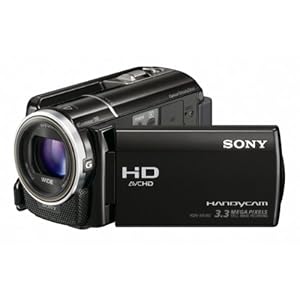
You can use a cheap webcam or frankly even your iPhone or iPad 2 for the purpose. But I had the excuse of new grandchildren to get a Sony HD Handycam. If I were so inclined, I could attach a better microphone to it, but the main interest I have is in the visuals.

Audio Recording


Many of the same advantages can be had with audio recording, but it's even easier to do. Although that being said, if you want a professional sounding recording, that's a hobby and skill in and of itself. But for the casual recording, there are a lot of options to use and value to be derived.

I own and used to use an M-Audio Microtrack 24/96 portable digital recorder. It's about the size of a pack of playing cards and does a fine job (although the battery life is disappointing).

But ever since going down the Apple fanboy rabbit hole, I am using either an iPod or iPad to do my recordings. I'll record lessons. I'll record practice sessions.

For these purposes, the iPad or iPod built-in microphone does an adequate job. But I will also sometimes plug in a thumbtack mic. If I were so inclined, I could probably use the media or camera connection kit to connect my iPad to a firebox mic preamp, but that would put me in the spending too much time fiddling (ha!) with technology rather than playing the guitar. The idea is to record a lot, and the best way to do that is to make it simple.

There are a great many recording applications for the iPad. If I am interested in taking some notes while I am recording (such as in a lesson). I will use Notability.  For better recording and quality options, I will use Audio Memos 2. Both of these apps make it easy to get your recordings up to Dropbox or sent via email, so if you want to post them somewhere, it's simple to do.

Internet Resources


Again, the danger of the internet as a distraction to practice can't be overstated. Ideally, you should have a practice area that does not have a PC! But that's almost impossible now - the average lifetime distance that a smartphone spends away from its user is only 5 feet! So the internet is literally in my pocket at almost all times.

But there are a few gems on the internet, both for general music as well as specifically for the classical guitar.

Musictheory.net


Musictheory.net is an outstanding resource for learning something about music theory. It has lessons, but more importantly for me it has "trainers". So if you are trying to learn to hear intervals, fire up the interval trainer and find out how well you can distinguish a 5th from a 7th. I also use the key signature trainer.

Delcamp


Specific to the classical guitar only, the Delcamp Forums are run by Jean-François Delcamp in France. The forum language is English, but there are active members from all over the world. This is the most civil internet forum I have ever seen. You can ask a question, give an answer, read the wisdom of others, post and listen to audio and video recordings (so long as they adhere to international copyright law; I couldn't post my Andrew York piece above). In addition, there is a library arranged by grades (1-10) of guitar music. These are extremely well typeset PDFs - thousands of pages worth. Mr. Delcamp is offering lessons on his site as well.

Acoustic Guitar Magazine


ACG also hosts some discussion forums, although their classical corner is a much lower volume place than Delcamp. It also tends to be a little more raucous. I read it, but have stopped participating because (a) I hate the forum software they use and (b) I signed up under an email account I no longer possess, so can't have the forgotten password emailed to me!

The Boije Collection


The Boije Collection is another fine library of digitized classical guitar music scores.

Youtube


Youtube certainly causes concern from a copyright permissions basis. But overlook the stolen material (and buy it from the artist, otherwise artists will stop producing!). Instead, look for high quality amateur performances of the pieces you are learning. I am currently learning Robert Johnson's Allmayne, and a fellow that goes by the moniker gutfrets posted a very nice lute rendition.

next up in part 2, software and apps for guitar study

7/12/11

iPad App Review: Note taking (typed)

I saw another blogger review note taking apps, and I liked his approach. He used each app for a few hours at a time, taking notes at a conference and seeing how well the app supported him. He had different needs than I do, so he came up with different answers.

Earlier I reviewed handwriting apps and have picked Upad for my personal use. But when I want better notes, searchable notes, and notes that I might want to clean-up into “real” documents, I have a new need, one for typed text support.

And so I am using my application of choice (at least until the experiment is over!) to write this article. Let’s see how much I can do, how well I can format, and how easily I can transfer it to my website.

First things first – I am using an apple keyboard. I play the classical guitar, so my right fingernails are long and polished and very important to me. My left fingernails look like wolverines have gnawed them down. And my left fingertips are calloused. So while typing on the iPad’s on-screen keyboard is possible, it’s really rather difficult for me.

I just tried a case with an integrated bluetooth keyboard. GREAT idea, lousy implementation. The space bar on this model is so deeply recessed you cannot hit it with your thumb. I’ll write a review on accessories shortly.

So for now, it’s either take a keyboard with me to meetings or deal with the on-screen keyboard. For the latter, I won’t be typing very lengthy notes.

OK, so what am I looking for in a Note Taking app?

  • it needs to quickly load and allow me to start typing notes within seconds

  • I need some formatting options, but the app should really be minimilist to let me pound text in. I'll use Word or Pages if I want to create a pretty document

  • searching and organizing are key. I want to be able to have notes in notebooks and notebooks be able to be nested. I want to be able to tag items.

  • The app should favor text input, but allow for drawing and handwriting

  • The app should be able to import a variety of file types, and export to plain text, RTF, PDF, and files stored should adhere to some relatively open standard (plain text, HTML, OPML, Markdown).

  • Syncing and backing up (to dropbox, ideally) are critically important.

  • Cut and paste graphics would be nice to have

There are a lot of these applications on the market, and more coming on-line every day. So in my “pick one diet” vein, I tried a bunch of these for a little bit of time, before deciding on a winner. In the next week or so I will confirm my selection and start using this app exclusively.

My initial test was trying to get ready for a trip to Italy and organizing an itinerary. I then took notes during the trip. So I was initially looking at apps that were primarily outliners. And I really like doing brainstorming and document prep in outline mode. But in the end, I found that I was spending too much time futzing around with outline levels and formatting.

The Contenders


Daily Notes + To Do 


This has been my most often used iPad app. I do not use the to do features, and they thoughtfully allow you to turn that off. It's a great journaling program. You can have as many tabs as you want, as many pages per tab. Each page is tied to a date, so it is not ideal for organizing your notes in other ways (although it does allow tagging). It has dropbox "backup" (so you have to remember to press that button from time to time) and very limited formatting. It is what I ended up using for my travel itinerary and diary, and I think that I will keep this program for that use. But for going to a meeting or a conference or some other event that you just want to take notes with, it's lacking. And no export to PDF, so what you have is limited to iPad production and consumption.

OmniOutliner


Ludicrously expensive for what it does. Good outlining, but I could not easily create this post using Omni. No Dropbox sync. Worst of all, occasionally get an "omnibase" error.

carbonfin outliner


If outlining is what you want, this is a better and far less expensive version than Omni

Notability

I want to like this app. There is inherently nothing wrong with it. It's main distinguishing feature is the ability to record audio and have that synched to where you've typed notes. So for a student, that could be great. Although as a student, I found recording to be a crutch that made note taking worse. I've used Notability for recording guitar lessons and making notes, but in the end I pretty much stopped using it. They just released a new version that gives you multiple fonts per "note". I suppose it's the note aspect that bothers me the most. You can type a very long note, and the note can be part of a category, but it just seems more geared to index card kind of note taking, rather than free-flowing. Good dropbox, webDav and other support though.

Awesome Note

Even worse with the notecard metaphor. One of those apps that does "everything but nothing well." Great sync to google docs and evernote, though, so as an iPad post-it pad, it does indeed seem awesome. But then again, evernote has its own app which is just fine for that purpose.

Thinkbook

This is a very interesting design and does a tremendous job of outlining. The developer has come up with a "slider" that you can toss lines and paragraphs and other content into and out of and can move sections quickly. While I love being able to expand and collapse sections, it seems impossible to get Thinkbook out of outline view and just display all text expanded.

But the clear winner is:

Notebooks

I wish I could give you a more detailed name. App developers need to learn something about branding. Even their help files and website just call it "Notebooks".

Anyway, that aside, Notebooks is exactly what I was looking for. I have typed this review in it and will shortly go back to add formatting and pictures, then export to HTML and email it for posting on my blog (or maybe do that all through the pasteboard).

Notebooks allows you to create nested notebooks. Within a notebook, you can have another notebook, a note, an image, or an imported document. You can make notes tasks.

Notes in Notebooks are typed on a lined sheet and as far as you're concerned, you're just typing on a very long sheet that keeps scrolling. The files are saved continuously, so as you bounce around within the program or out to other apps, the last thing you typed is always there.

There are so many features that this app comes with a downloadable 40 page user manual. But at the same time, you can start using it immediately.

So to give you an idea of how I use this app, I have a set of notebooks. One book is "data center" and when I have weekly emails with leasing reports, I open those in Notebooks and they automatically become a read-only note. So far, no problem with Excel, Word, or PDFs. The only thing I wish I could do is annotate these files (either with handwriting or typing on say a new layer). For all I know it has that capability and I just haven't figured it out yet. And even now, I can "open with..." quickdocs and edit (although due to the architecture of iPad those changes don't get saved back to notebook).

Files are saved as text and while there is not a PC or Mac version yet (although it sounds like they might be planning one), there are other options. For me, should I need to clean up and format a notebook, I'd just send it to Word as an HTML document.

Searching is very powerful in this app, and that's a critical function. I can now see that I will use this exclusively for typed notes for all sorts of things and for many years. So the amount of notes I will have will number in the thousands.

Notebooks anticipates this with tools to combine notes, notebooks and to zip everything up as well.

7/10/11

App review: Note taking (hand)

The Need


In an earlier post I said apps are like knives and that you should think about the balance between specialty function (say a fish boning knife) versus the sort of general utility offered by a Swiss army knife.

And as I come to my first category of review, note taking, I realize that I have been struggling with just this question. I find myself with two distinct needs when I take notes, and so I have two subcategories, handwritten versus typed. This first review is for the handwritten kind.

Prior to the iPad (and really, up until a few weeks ago), my office habits would have me grab a legal pad and take it to meetings. I have beautiful leather binders and portfolios. I have specialty paper from Levenger. The problem arises in that I have all of this paper scattered. I'll just grab whatever pad or portfolio happens to be closest. I am not good at filing paper. And most of these notes aren't really worth the trouble of filing.

Typing on the iPad isn't so great for meetings. Plus, I always like to draw diagrams. Handwriting apps come to the rescue.

Key Features

  • The app should load quickly and be ready to accept notes within seconds

  • The app should have an easy and obvious interface. There can be a lot of powerful features, and that's fine, but the basics of writing and drawing need to be very simple

  • There has to be app stability, of course

  • And it has to offer rich backup and syncing utilities such as dropbox, email, iTunes document sharing

  • I want my handwriting app to favor handwriting, but to allow typing

  • I need to be able to organize notes into books, and I need to be able to store thousands of them

  • I want to be able to send my notes as image or PDF files

  • And I want to be able to input PDF's and mark those up.

  • I don't expect a quality app for free, but less than $10 would be nice

  • Undo, redo to multiple levels

  • Smooth writing with or without a stylus

  • Ability to zoom so my writing can be reasonably compact on the page

The Contenders


 UYH (Use Your Handwriting)


Penultimate


(now that Penultimate integrates with Evernote, I may need to take another look at it)
Note Taker HD


UPAD


And the winner is...

UPad, "hands down". Note Taker HD is more popular among the student crowd. Note Taker HD has a lot of extra functionality, such as drag and drop shapes. But I need to pick one diet and stick to it, and for me it's UPad. UPad does a wonderful job of:


so here's an app that does exactly what I need it to do and no more. It will truly replace all my little legal pads and other paper. UPad doesn't come with much in the way of help files or videos, but that's fine - it's quite intuitive. And the ability to zoom in and write neatly on forms could be quite useful to my salesforce at work.